 Coming soon · TestFlight beta
Bowerbird
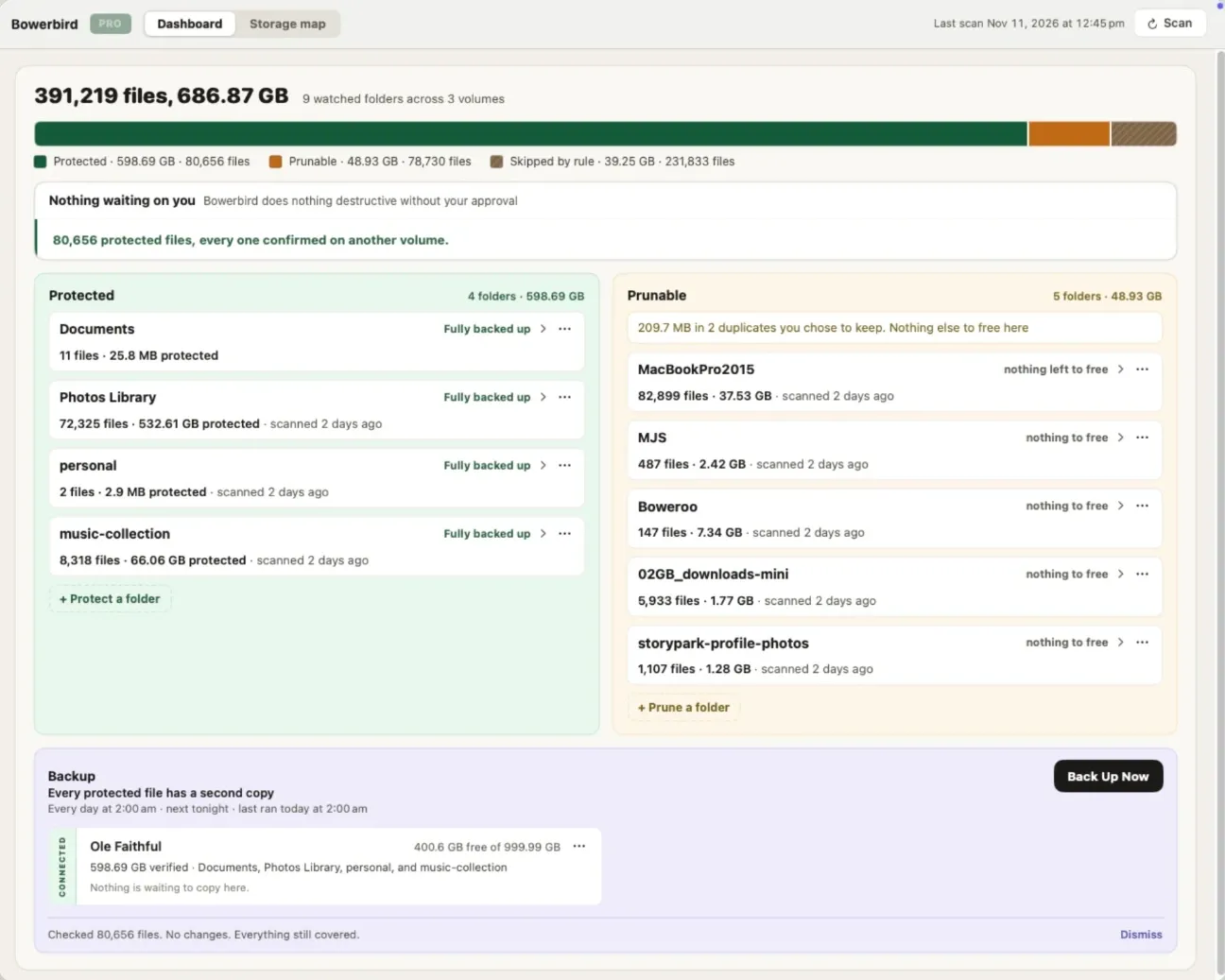
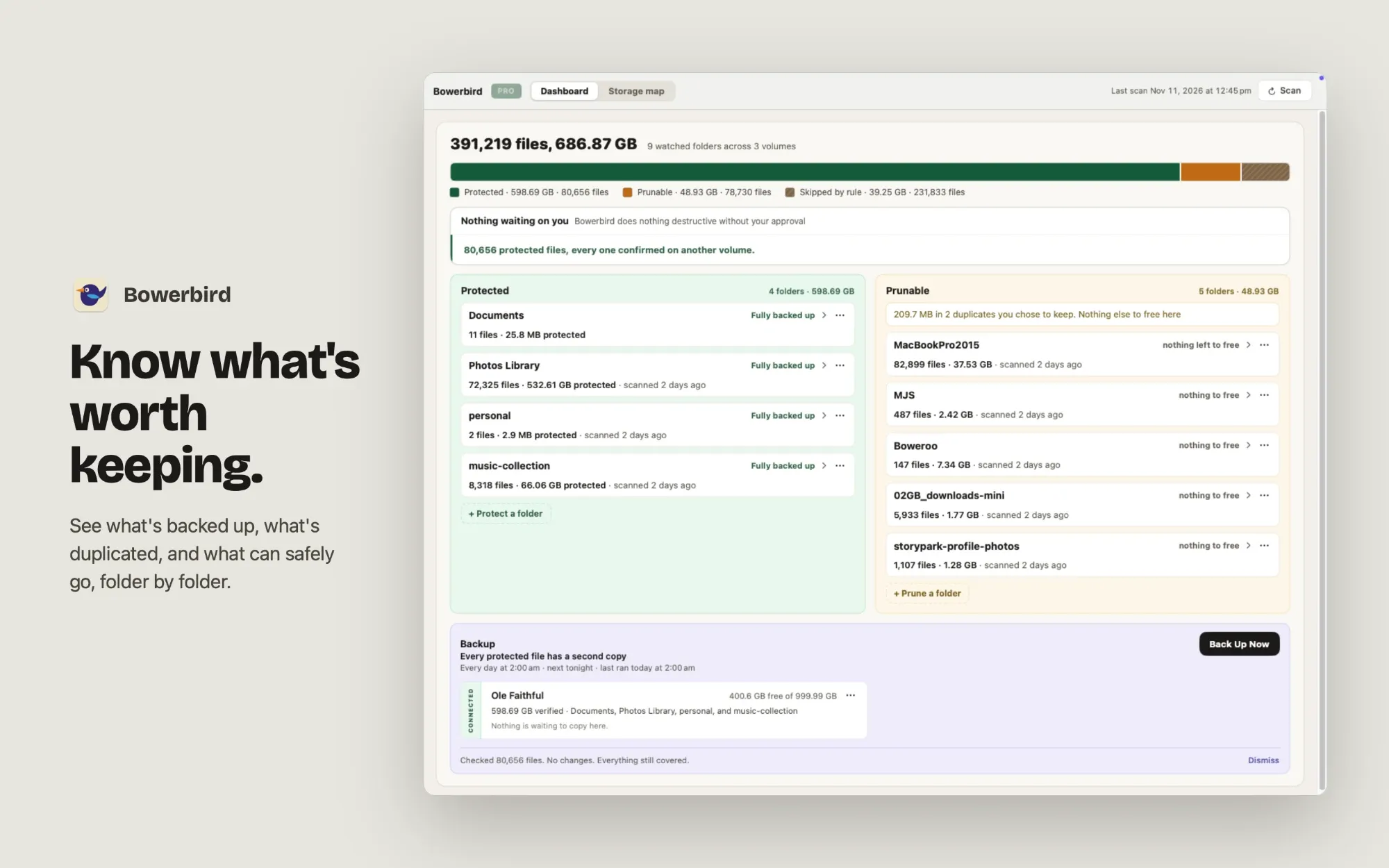
Bowerbird tells you what is actually on your Mac: what exists twice, what exists only once, and what that is costing you.
You’re on the list
Watch your email for a TestFlight invite from Apple when the beta opens.
Use a different emailCheck that email address
It needs an @ and a domain, like name@example.com.
That didn’t go through
Something went wrong on our side, so your email wasn’t saved. Please try again.
We'll email your TestFlight invite when the Bowerbird beta opens. Nothing else unless you tick the box, and we never share your address.
Protect a folder
Every file gets a copy on another drive, and Bowerbird keeps that copy current. It checks each file against your backup drive, copies what is missing, then reads each copy back to confirm it matches. Files that exist in only one place are counted and shown on your dashboard, so you always know what is at risk. Protecting never moves or changes your originals.
Prune a folder
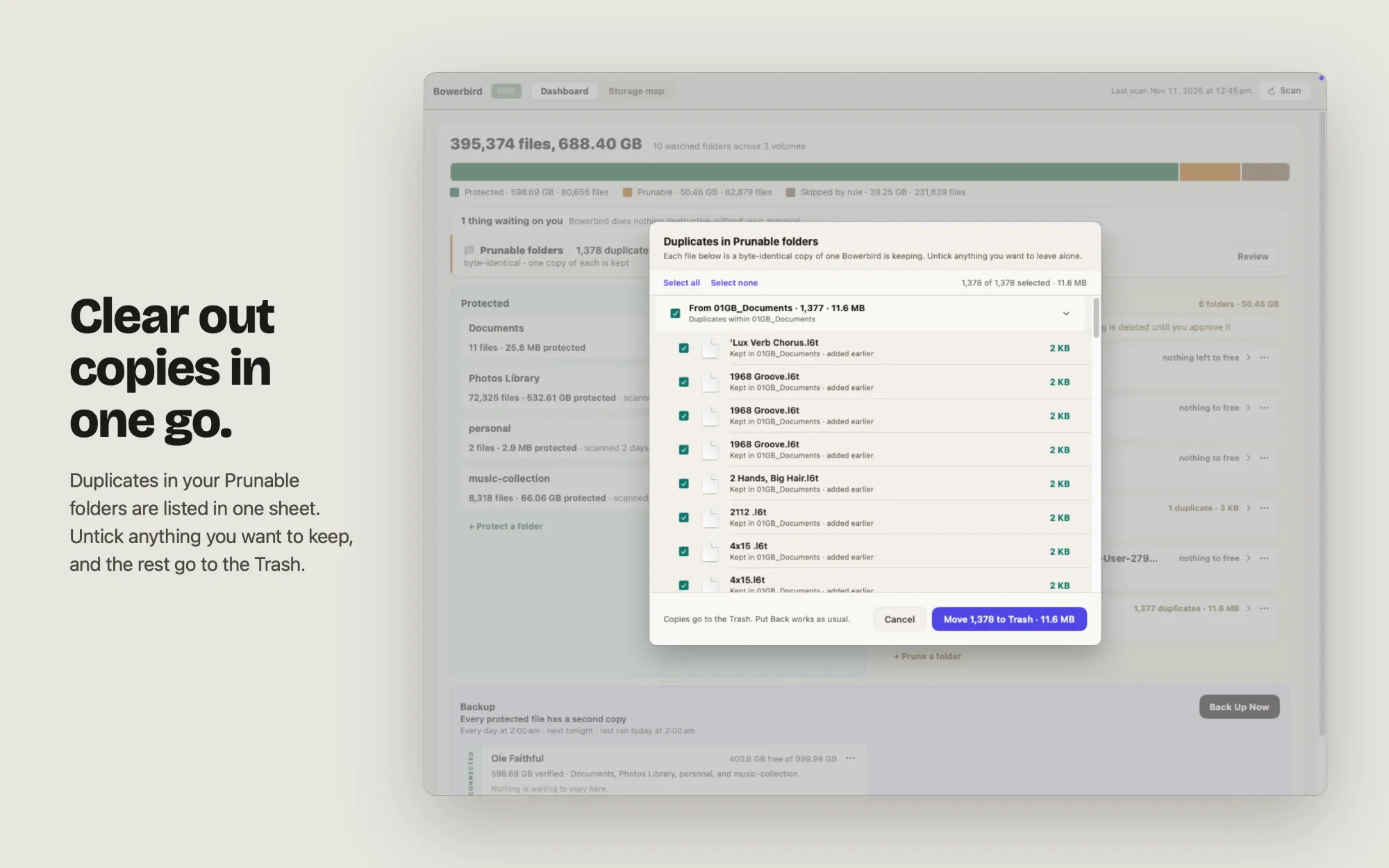
Get back the space taken by files you already have twice. Bowerbird fingerprints every file, groups the byte-identical ones, and shows how much space each group would free. Look-alike images are grouped separately, so an exact copy is never confused with something that merely looks similar. Bowerbird also finds folders that can be rebuilt instead of stored, such as node_modules and build output.
Nothing is deleted without you
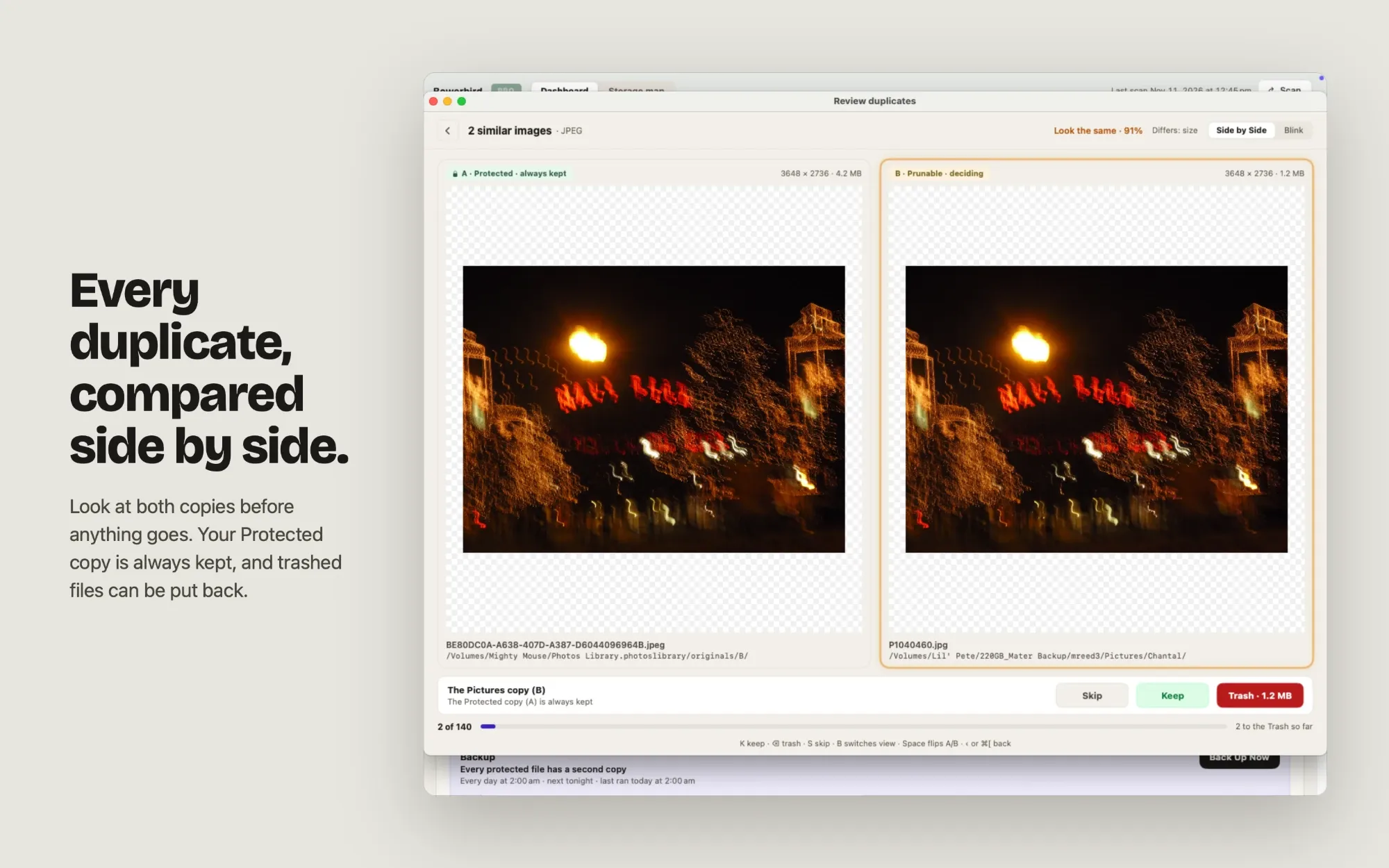
Nothing reaches the Trash without your approval, and never the last copy of anything. Before each file moves, Bowerbird checks that the copy being kept is still in place and unchanged. Compare any match side by side or flip between the two at full size before you decide. Everything goes to the Trash, so Put Back works as usual.
Bowerbird screenshots
More about Bowerbird
Backups on your schedule
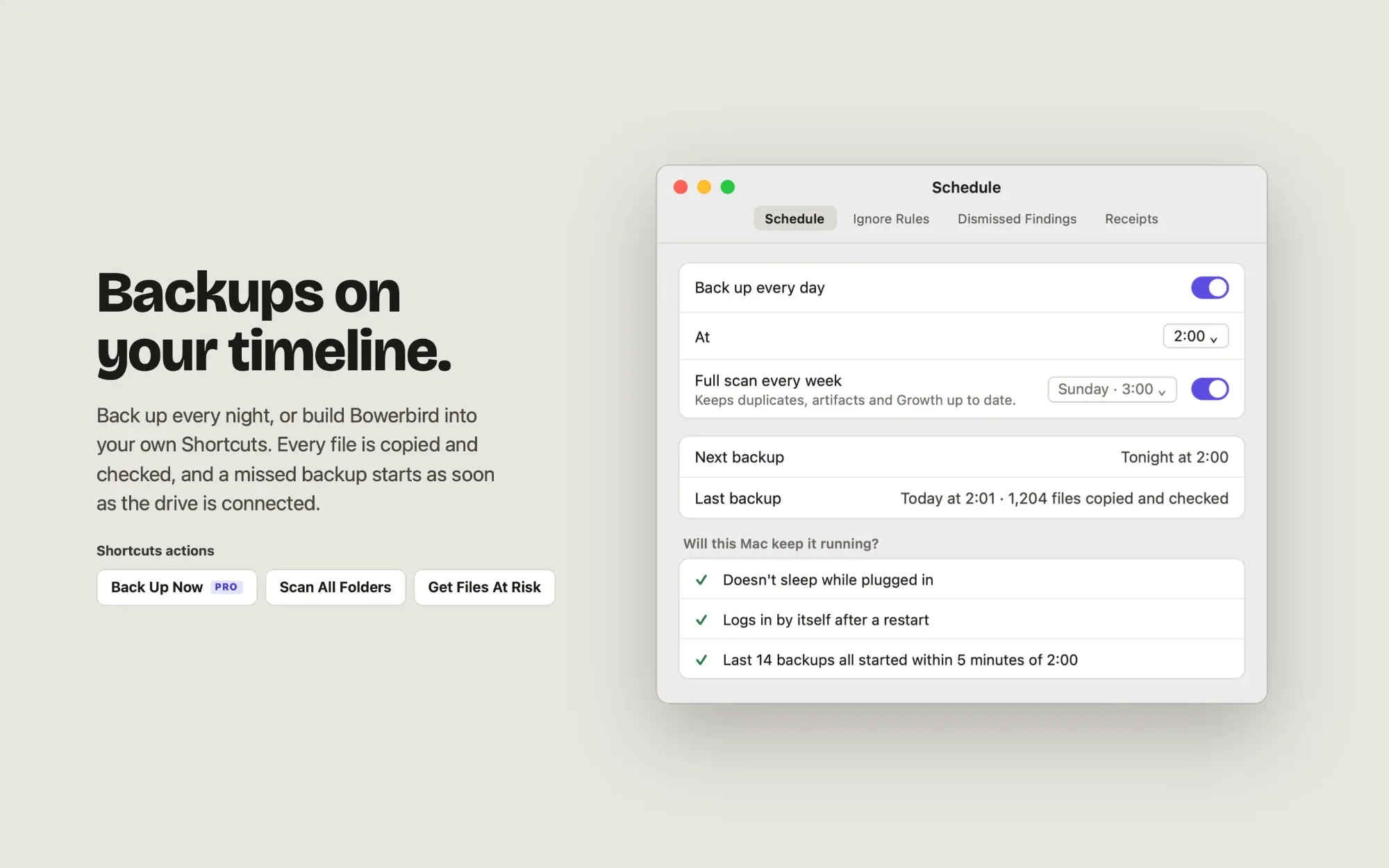
Pick a time and Bowerbird backs up every night. A backup missed while your Mac was asleep or off runs as soon as it can. One that couldn't reach a drive starts as soon as the drive is plugged back in. Bowerbird opens at login, lives in the menu bar, and lets you know if a backup fails. Before you turn it on, it checks whether this Mac will keep the schedule running.
Automate with Shortcuts
Build Bowerbird into your own automations, or run it from Spotlight and Siri. Actions include Back Up Now, Back Up Folder, Scan All Folders, Scan Folder, Get Files At Risk, Get Reclaimable Space, Get Size Waiting to Back Up and Get Last Backup Date.
See where your storage went
A breakdown of every volume: what is duplicated, what is protected, and what could be rebuilt instead of stored. Free forever, no limits.
What Pro adds
Bowerbird Pro is a one-time purchase, not a subscription.
Unlimited backups, on a schedule or from Shortcuts. The free tier includes five backup runs, so you can watch it work on your own files before paying for anything. After that, a free schedule keeps scanning every night.
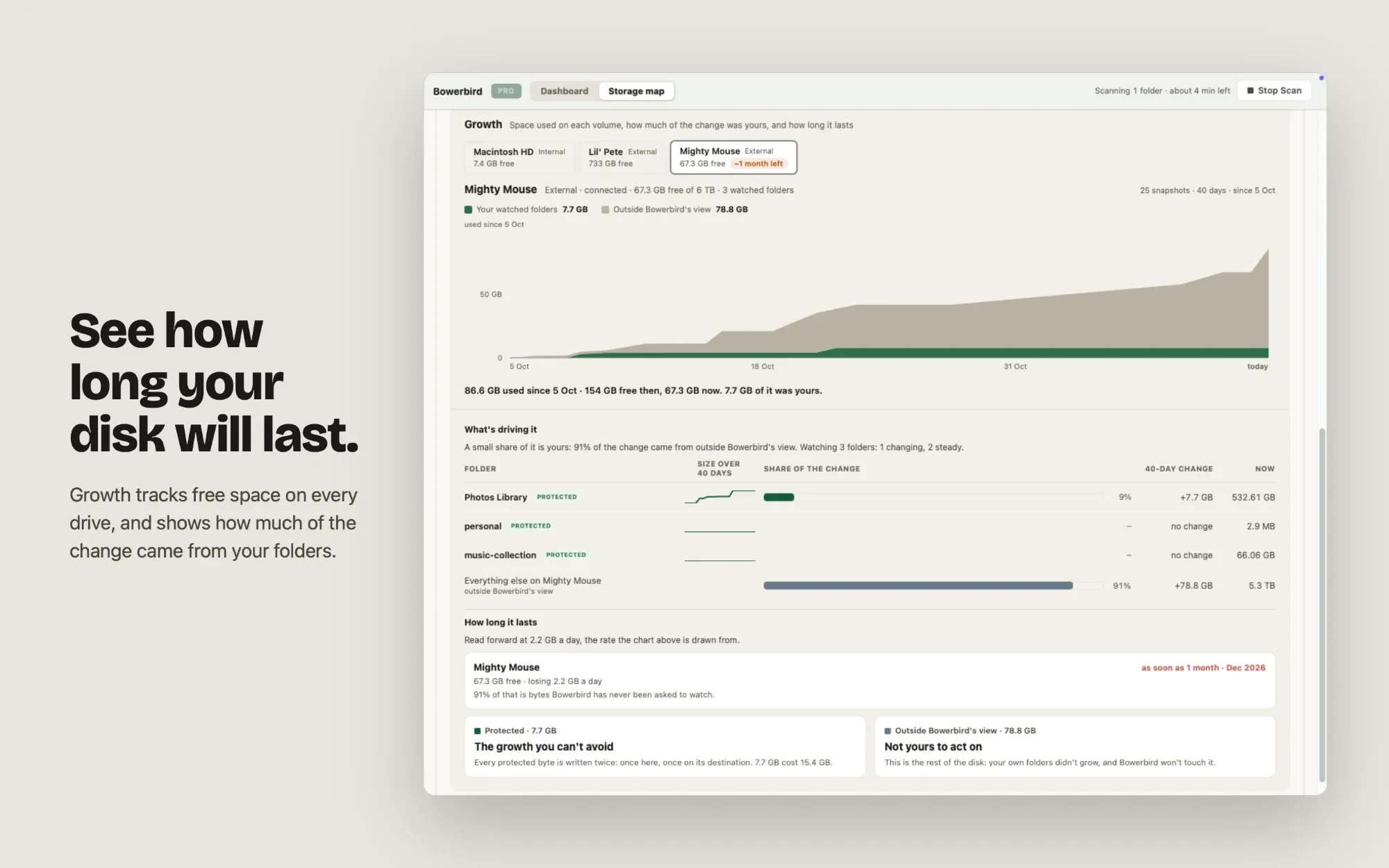
Growth analysis. Which folders are growing, how fast, and when each drive will run out of space.
Everything else is free and uncapped, including duplicate detection, the full cleanup flow and the scan and status actions in Shortcuts. There is no trial clock and nothing expires.
Private by design
No account. No telemetry. No network connection at all except to the App Store for the purchase itself. The list of what is on your Mac never leaves your Mac.
Requirements
macOS 14 or later. Scheduled backups need Bowerbird to be allowed to open at login.
Want in early?
Join the TestFlight beta and try Bowerbird before it ships.
You’re on the list
Watch your email for a TestFlight invite from Apple when the beta opens.
Use a different emailCheck that email address
It needs an @ and a domain, like name@example.com.
That didn’t go through
Something went wrong on our side, so your email wasn’t saved. Please try again.
We'll email your TestFlight invite when the Bowerbird beta opens. Nothing else unless you tick the box, and we never share your address.